Any target
Your machine, a host, an IP range, a subnet or a free-form list. Atlas even finds your network on its own.
Atlas is a port scanner for Windows: fast, beautiful and bilingual. See in seconds what your machine or your network exposes, and understand every port in one sentence.
Coming soon to Windows · 1.5 MB · Portable edition · English / Français
for the installer. No bundled browser.
to scan all 65,535 ports of your own machine.
common ports explained in one sentence, in English and French.
data sent anywhere. No account, no tracking.
Features
Built for people who want to understand their network, not learn a command line.
Your machine, a host, an IP range, a subnet or a free-form list. Atlas even finds your network on its own.
One port, a list, ranges, all 65,535, or presets: Top 100, Web, Databases, Remote access…
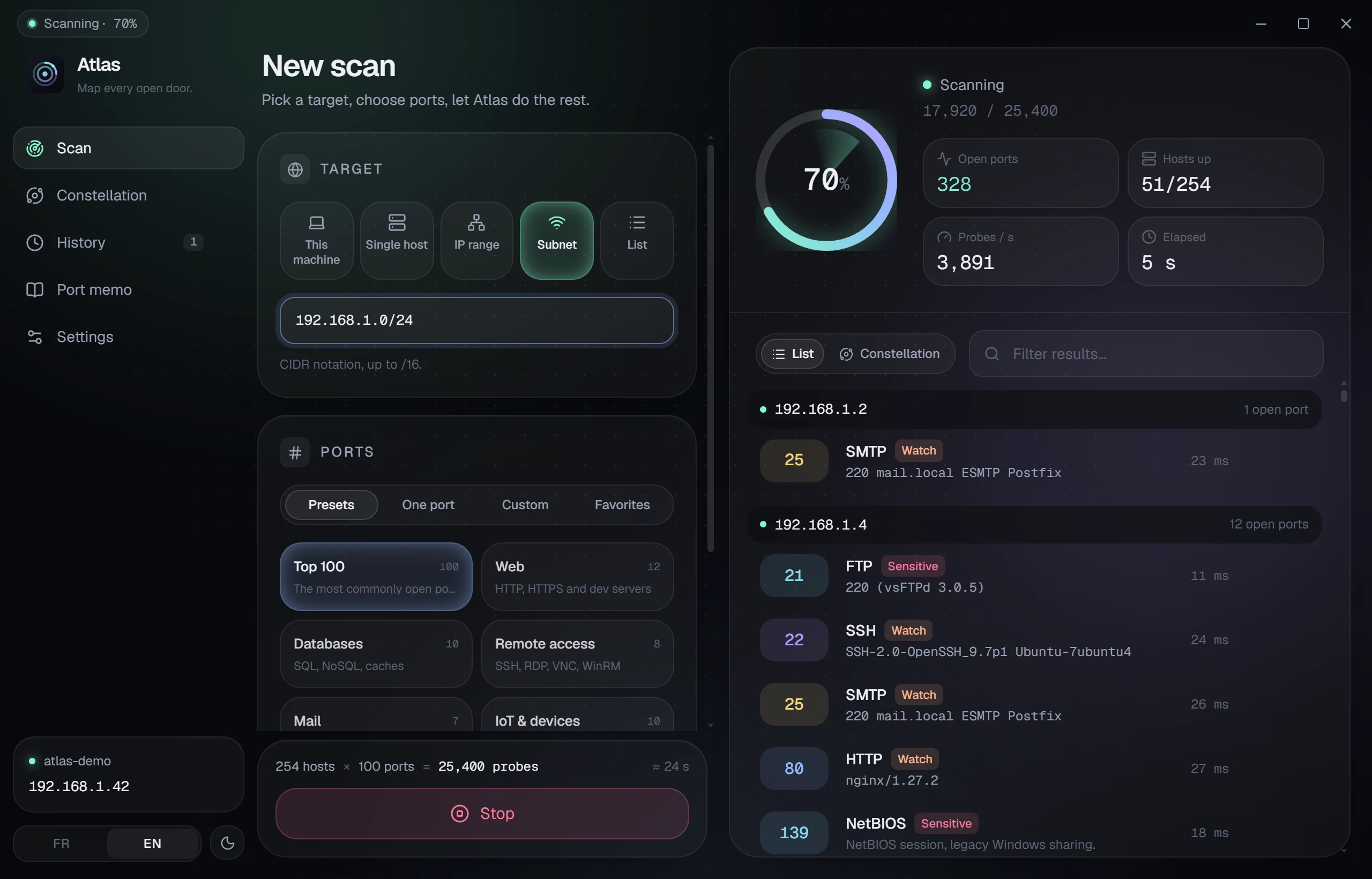
Every open port shows up the moment it is found, with its latency, the progress and the speed.
Atlas reads banners to recognize OpenSSH, nginx, Postfix, MySQL… and their versions.
92 essential ports explained in one sentence, with a risk level. Star your favorites.
Every scan is kept, can be run again in one click and exported to CSV or JSON.
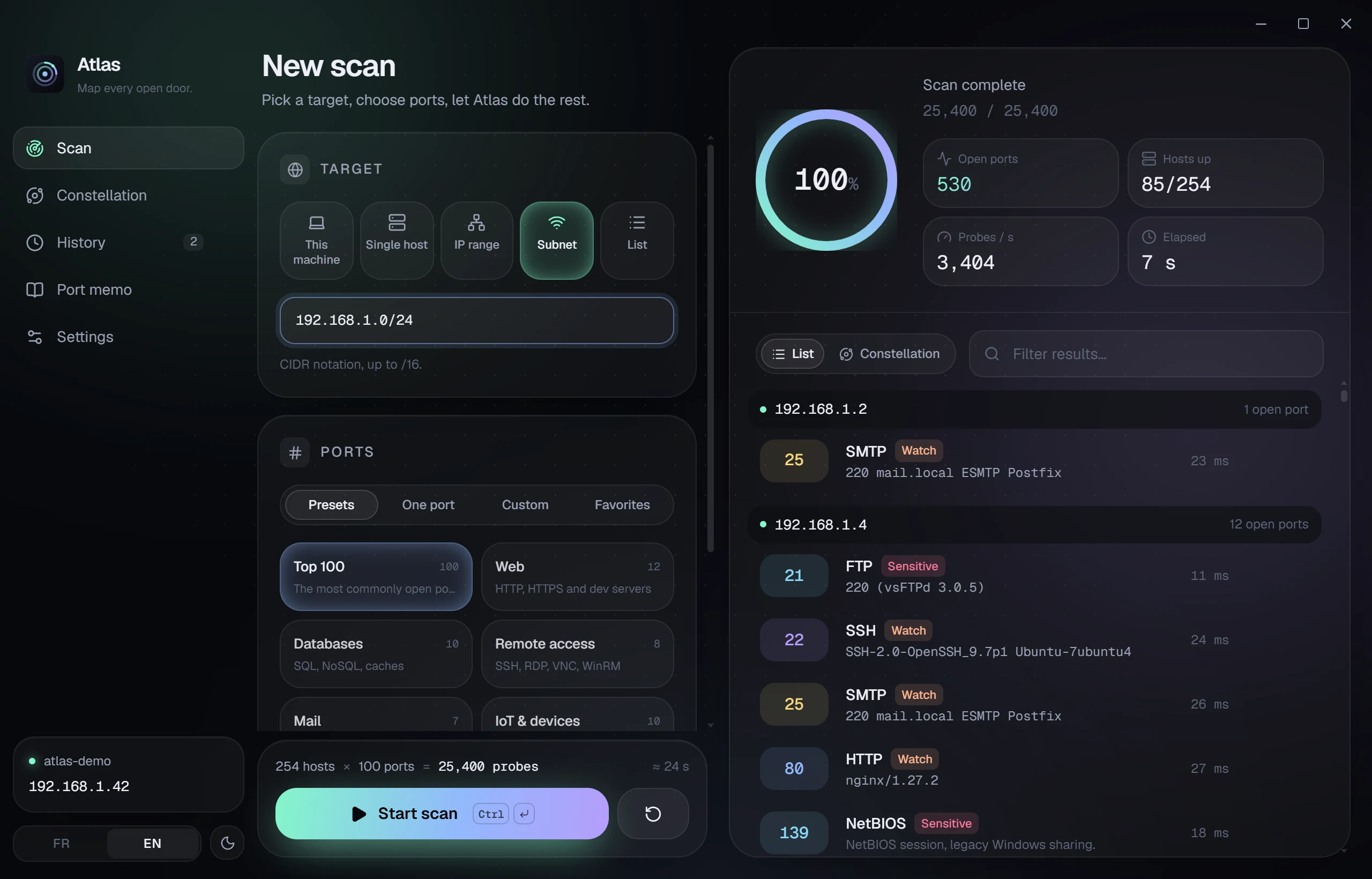
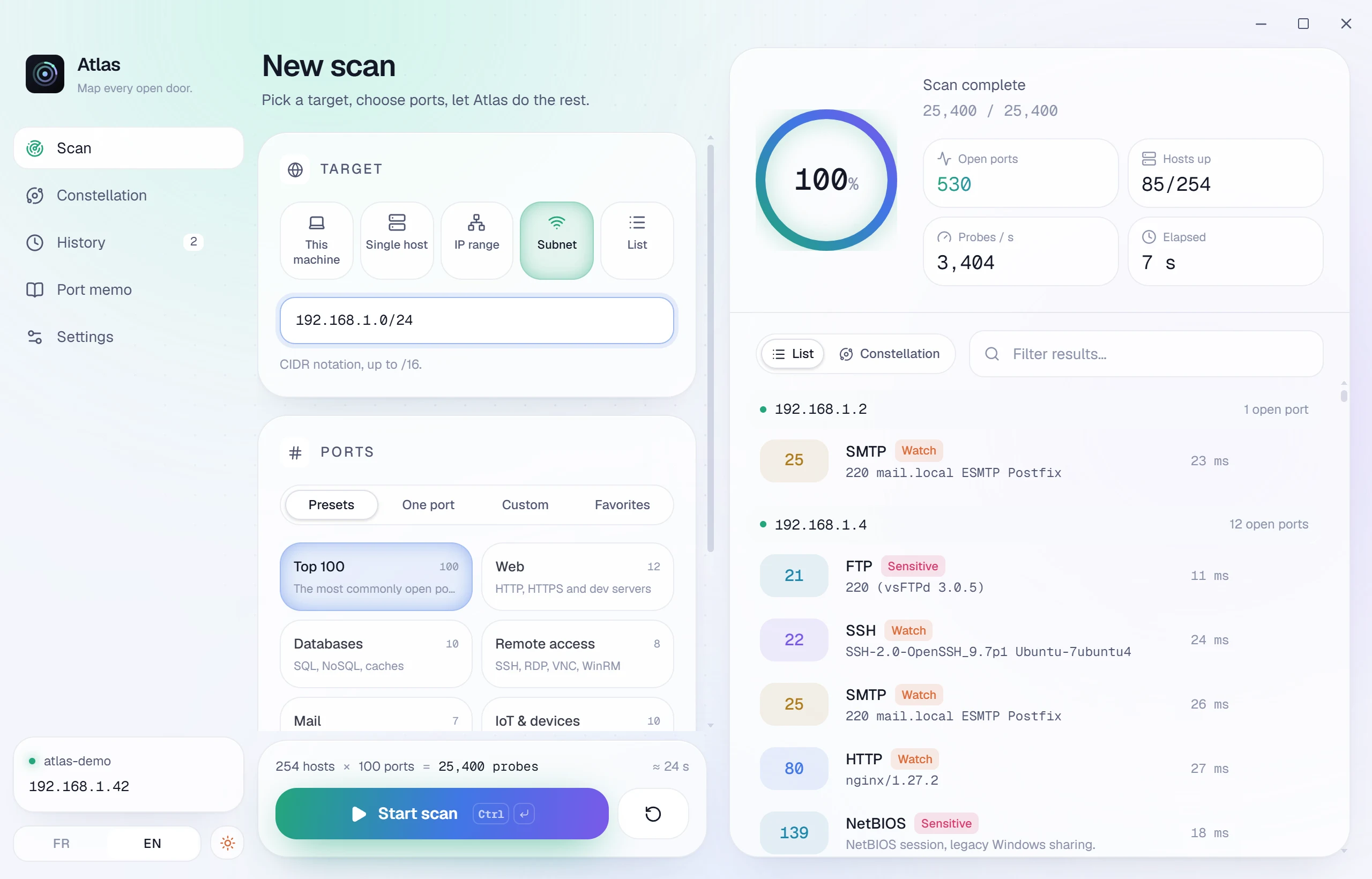
A dark “Night” theme and a light “Daylight” theme, one click apart. In English and French.
Run Atlas from a USB stick: history and settings stay in its folder, nothing on the PC.
Constellation
Every star is a device. The closer it is to the center, the more ports it exposes. Hover for a preview, click to see everything.
Two moods
Screenshots
Screenshots of the real app, on a demo network so that no real network is exposed.
Results of a subnet scan, grouped by device with banners and risk levels
Three moves
Your machine, a device, or the whole network in one click.
A preset, your favorites, or any range.
As a list or as a constellation, then export to CSV or JSON.
Under the hood
The scan engine is written in Rust, the interface in React. Tauri ties them together without shipping a browser.
Hundreds of parallel connections with tokio, cancellable at any time.
Every port found reaches the interface through a Tauri channel, without waiting for the scan to end.
Atlas uses WebView2, already part of Windows. The installer weighs 1.5 MB.
Everything stays on your computer. No account, no telemetry, no server.
Availability
Atlas is coming very soon, for free, to Windows 10 and 11 (64-bit). It will ship in three formats.
One-click install, no admin rights needed. Choose English or French when it starts.
Soon · .exe · 1.5 MB
No installation. Unzip and run, even from a USB stick: nothing is written to the PC.
Soon · .zip · 1.7 MB
For managed deployments. One package in English, one in French.
Soon · .msi · FR / EN
Will require Microsoft Edge WebView2, preinstalled on Windows 11 and up-to-date Windows 10. macOS and Linux will follow.
Only scan networks and devices you own, or that you have written permission to test. Scanning third-party systems without permission may be illegal.
Yes. Atlas is free, with no ads and no account.
No. Scans, history and settings stay on your machine. Atlas contacts no server and collects nothing.
Very soon. Atlas is built and tested on Windows; it will be released as an installer, a portable edition and an MSI.
The installer adds Atlas to the Start menu. The portable edition lives in a single folder: perfect on a USB stick or on a PC where you cannot install software.
Scanning your own devices is. For a network you do not own, always get written permission before running any scan.
Atlas attempts a TCP connection on each port (a “connect” scan). No admin rights are needed. UDP scanning is planned.
Atlas is built on Tauri, which is cross-platform: macOS and Linux versions are planned.